CREATIVE DEVELOPMENT CASE STUDY2025
GTA VI
Cinematic Landing Page
A fan-made interactive web experience inspired by the visual identity and storytelling style of Grand Theft Auto VI, transforming scrolling into a cinematic digital trailer.
This is an independent fan-made project created for educational and portfolio purposes. Grand Theft Auto, GTA VI, Rockstar Games, and all related artwork and trademarks belong to their respective owners. It is not affiliated with or endorsed by Rockstar Games or Take-Two Interactive.
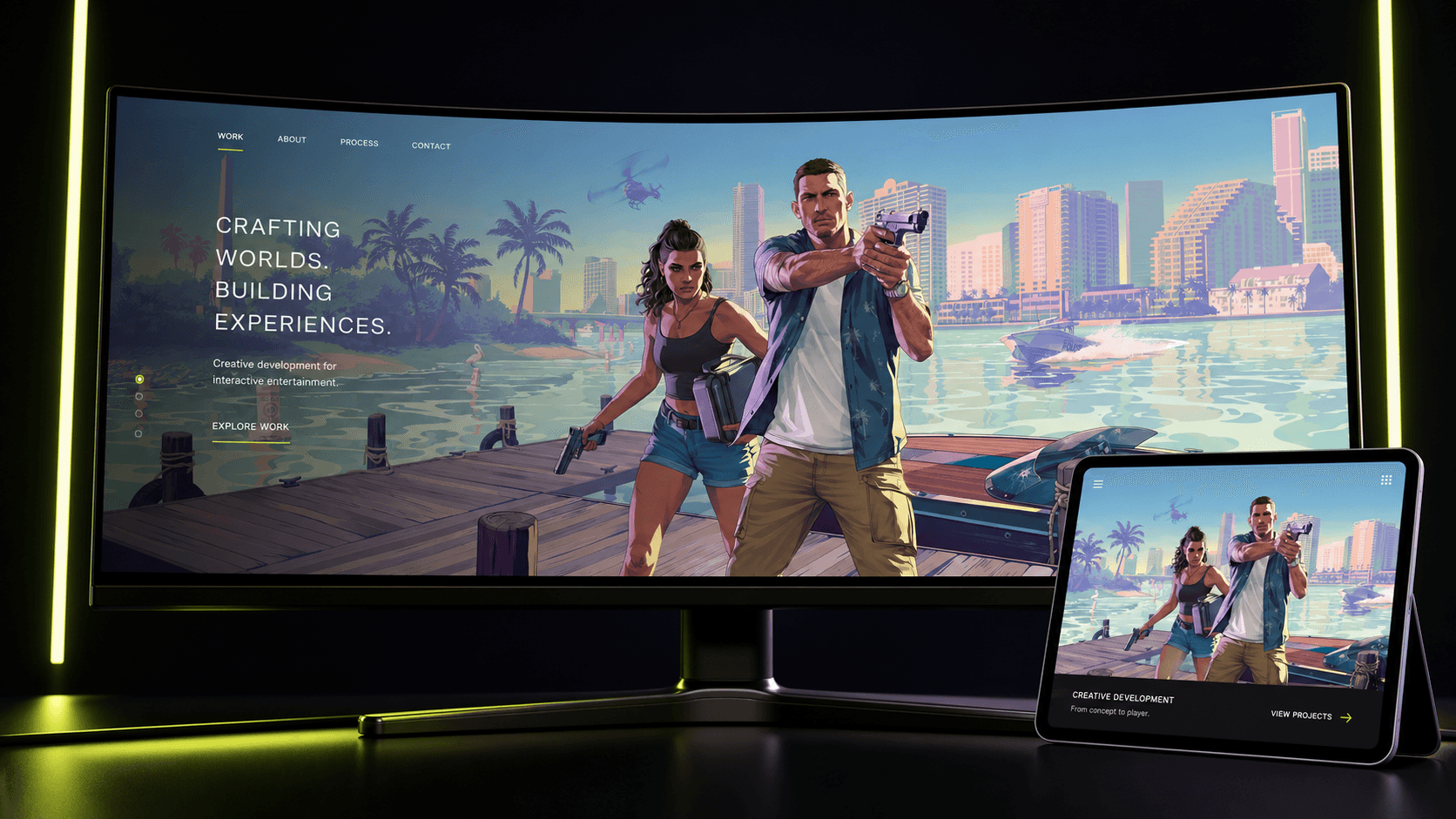
PROJECT CONTEXT
Instead of creating a conventional static landing page, I designed and developed an immersive scrolling experience combining cinematic videos, layered images, animated masks, character introductions, and smooth transitions.
Each section is connected through scroll-based animation, allowing visitors to explore the page as if they were moving through a digital trailer.
I built coordinated GSAP timelines with ScrollTrigger. Video playback time, element opacity, image movement, scaling, masks, and transitions are controlled by scroll progress. Responsive mask settings keep the central animated reveal correctly positioned across desktop, tablet, and mobile screens.
WHAT I DID
My contribution from concept to working experience.
I designed and developed the complete frontend experience, from reusable React architecture and scroll-triggered sequences to responsive behavior, performance refinement, and deployment through Vercel.
Page architecture
Built the experience with reusable React components for the navigation, hero, video sequences, character stories, promotional cards, and outro.
Scroll-triggered sequences
Created coordinated GSAP ScrollTrigger timelines for pinned scenes, masks, opacity, scale, image movement, and seamless section handoffs.
Video synchronization
Connected HTML5 video playback time to scroll progress after media metadata loads, creating controlled cinematic sequences instead of conventional autoplay.
Image and text transitions
Developed layered image movement, animated typography, character reveals, and subtle parallax effects to support the visual narrative.
Responsive behavior
Implemented separate animation settings and layout adjustments for desktop, tablet, and mobile screens.
Experience optimization
Refined trigger timing, media behavior, section overlap, and responsive composition to maintain a smooth cinematic browsing experience.
Production deployment
Prepared the Vite production build and deployed the completed website through Vercel.
HOW I BUILT IT
A deliberate build process,
step by step.
Decompose the narrative
Mapped the experience into focused story beats and identified where pinning, video, parallax, and character content best supported each moment.
Build reusable sections
Created React components for the navigation, hero, video sequences, Jason and Lucia stories, promotional cards, and outro.
Direct motion with GSAP
Built coordinated ScrollTrigger timelines and tuned trigger positions, scrubbing, masks, scaling, opacity, and section transitions.
Adapt, optimize, and deploy
Implemented responsive animation rules, refined video behavior and layout performance, and deployed the production build through Vercel.
CORE FEATURES
- Cinematic hero with animated mask transition
- Scroll-controlled video playback
- Jason Duval and Lucia Caminos story sections
- Smooth GSAP section transitions
- Responsive desktop, tablet, and mobile experience
- Reusable component-based architecture
TECHNOLOGY
ReactJavaScriptViteGSAPGSAP ScrollTriggerTailwind CSSReact ResponsiveHTML5 VideoVercel
Explore source code PROBLEMS I SOLVED
Coordinating motion and scrolling
Pinned sections, video playback, masks, image motion, opacity, scaling, and transitions had to remain synchronized so the experience felt like one continuous story.
Responsive animated mask
The large mask effect required dedicated desktop, tablet, and mobile settings so its scale and position remained intentional at every screen size.
Reliable video scrubbing
Video duration is unavailable until metadata loads, so scroll-controlled playback is initialized only after each media element is ready.